

Uncategorized
How to Open an iGet Moon: Quick, Safe Setup Guide for First-Time Use
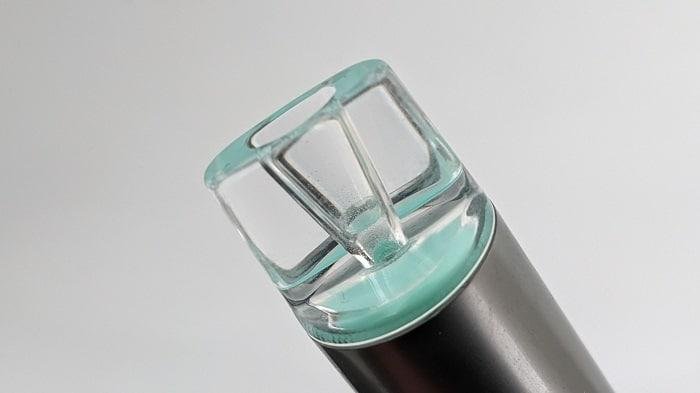
If you’ve just received your iGet Moon and you’re wondering how to open it and get started, the process is usually simple and takes only a minute. Whether you’re opening it for the first time or checking if it’s ready to use, this guide walks you through each step clearly.
What Is an iGet Moon?
The iGet Moon is a disposable vape device designed for convenience and immediate use. Unlike refillable devices, it typically arrives pre-filled and pre-charged, which means there’s usually no assembly required before use.
Understanding how to open and prepare the device properly helps ensure smooth performance and avoids accidental damage.
Step 1: Remove the Outer Packaging
Start by taking the iGet Moon out of its box or sealed pouch.
Check for:
- Protective wrapping
- Security seals
- Included instructions
- Any warning labels
Carefully remove all packaging materials before handling the device.
Read More: https://vapestore-australia.com/
Step 2: Remove Silicone Caps and Protective Plugs
Most new iGet Moon devices include protective pieces to keep the mouthpiece and airflow clean during shipping.
Look for:
- A silicone cap covering the mouthpiece
- A rubber plug on the airflow opening (if present)
Gently pull these off before use.
Tip:
If airflow feels blocked, double-check that all protective inserts have been removed.
Step 3: Locate the Mouthpiece
The mouthpiece is the end designed for inhalation.
Hold the device upright and inspect it:
- One end will have the mouthpiece
- The body contains the internal battery and liquid chamber
Avoid trying to pry the device apart—iGet Moon units are generally designed to be used as sealed products.
Step 4: Activate the Device
Many iGet Moon devices are draw-activated, meaning there’s no button.
To activate:
- Place the mouthpiece to your lips.
- Take a gentle inhale.
- The device should automatically activate.
If it doesn’t work:
- Check for remaining packaging pieces.
- Confirm airflow openings are unobstructed.
- Verify the device appears undamaged.
Common Mistakes to Avoid When Opening an iGet Moon
To keep the device functioning properly:
Don’t Force It Open
The internal components are not meant to be disassembled.
Don’t Remove Internal Parts
Pulling apart the casing can damage the battery and internal system.
Don’t Use Sharp Tools
Avoid knives, scissors, or metal tools when removing packaging or protective caps.
Troubleshooting: iGet Moon Not Working After Opening
If your iGet Moon isn’t responding:
- Ensure all caps and plugs were removed.
- Try a few gentle puffs rather than strong draws.
- Inspect for visible shipping damage.
- Refer to the product instructions included in the packaging.
If the device still doesn’t function, contact the retailer where it was purchased.
Final Thoughts
Opening an iGet Moon is usually straightforward—remove the packaging, take off any protective caps, and use the mouthpiece as directed. Since these devices are commonly designed for immediate use, there’s generally no setup, charging, or assembly involved.
Following the correct opening process helps maintain performance and provides a smoother first-use experience.
